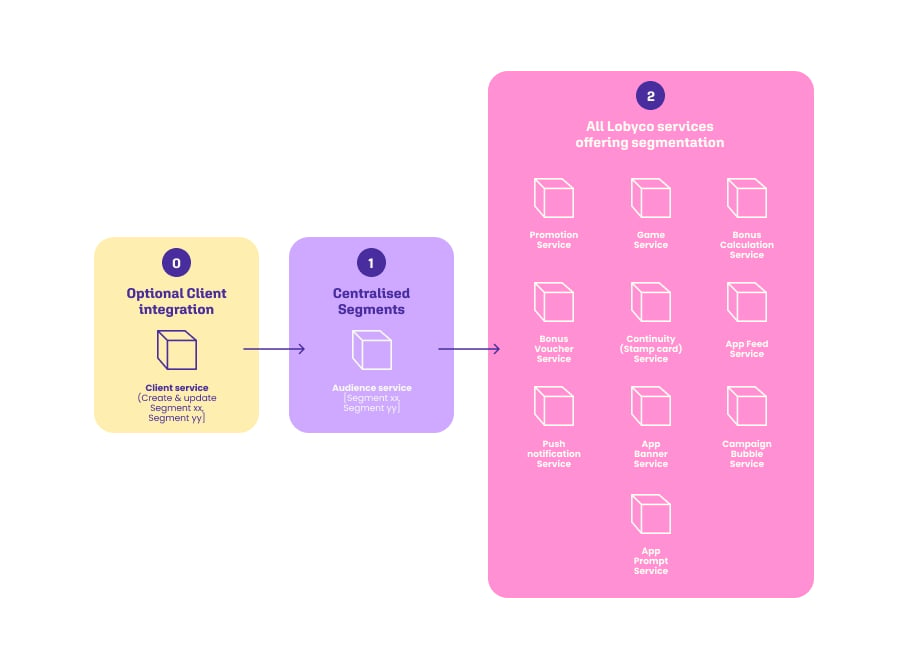
By Integration
A retailer integrate to Lobyco Audience service creating and updating a list of audiences dynamically. The retailer prefer to have their audiences in an existing platform and rather want to feed this data to the Lobyco Admin Portal for their marketers to choose from. Every operation is documented in the Audience API reference.Audience creation from CSV files via Audience DataImport API
1
Upload each CSV file
POST /v1/upload — send one CSV file of customer IDs as multipart/form-data. The response gives you the URI to reference in the next step, so call it once per file.2
Schedule an import job
POST /v1/import — pass the uploaded files in the dataURIs field to create a new audience from them, or PUT /v1/import to add them to an audience that already exists. Both return an executionId.3
Check import status
GET /v1/import/{executionId}/status — track the execution using the executionId from the previous step.Audience import from the customer’s system via Audience API
1
Generate the header for a new audience
POST /v1/audiences — generate the header for a new audience (name, description, etc.)2
Add or remove customers in an audience
PATCH /v1/audiences/{audienceId}/customers — add or remove customers in an audienceManage in Lobyco Admin Portal
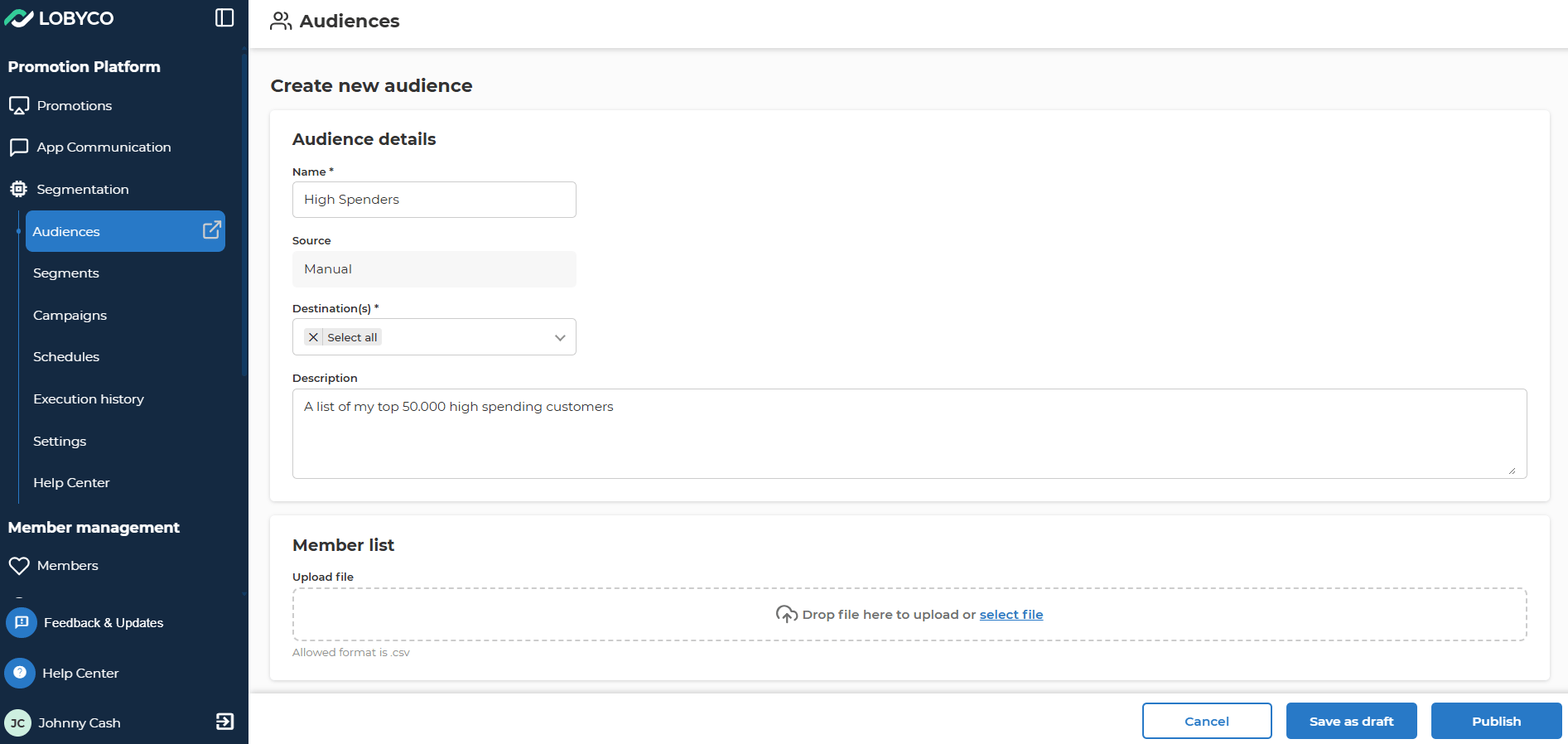
Create, update and keep your audiences in the Lobyco Admin Portal. Marketers can use the Lobyco Admin Portal to define the audiences they want to use across Lobyco products. The marketeers can create audiences with a Name, Destination (product of use i.e. Games), Description of the audience, Upload CSV file with customerIDs.