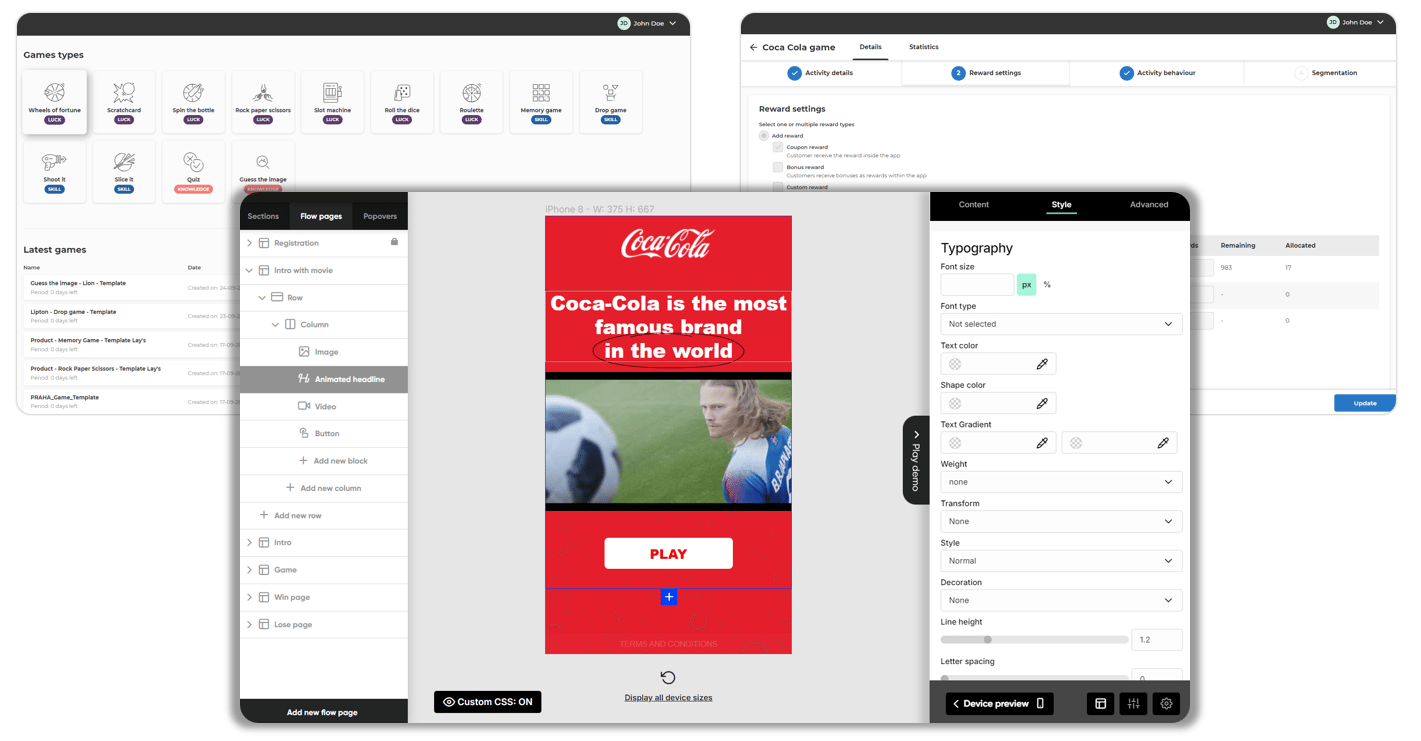
Games Admin Portal provides full access to configure game designs and behavior
Allow to set up and manage app games with products or services in stores as prizes in a few steps.- Select game template: quick start from preloaded game designs.
- Customize gameplay: brand the game via an easy-to-use WYSIWYG editor.
- Game campaign: plan games by setting up periods, win chances, logistics, and others.
- Monitor games and adapt prizes and behavior as needed.
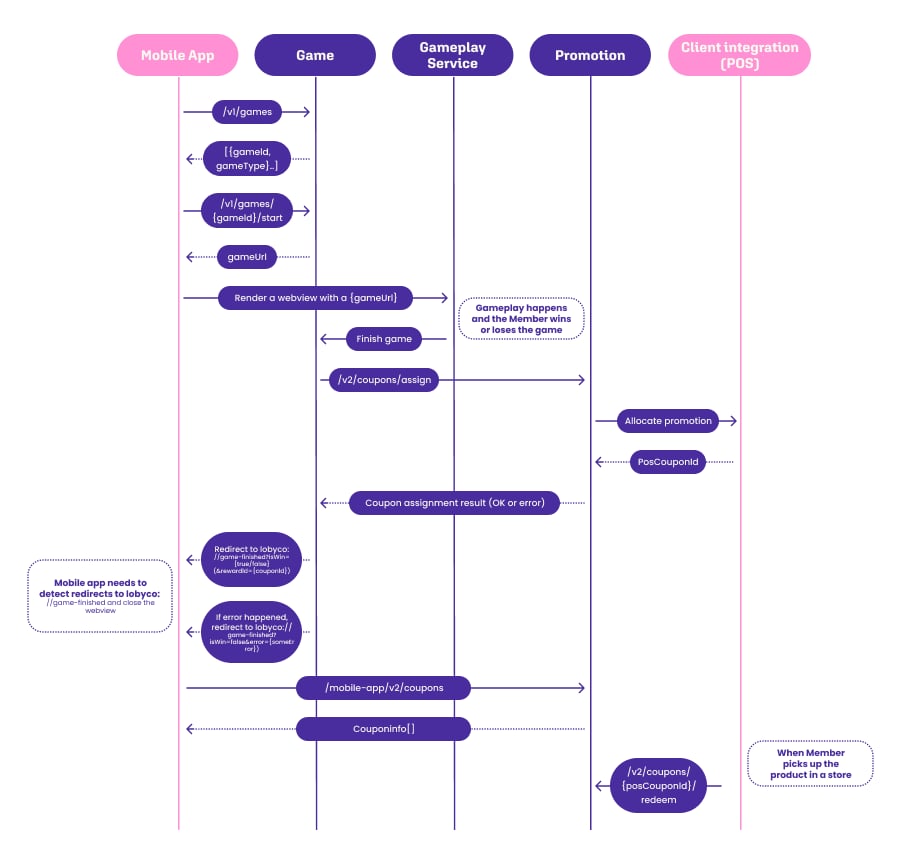
Integration within an existing loyalty landscape
1
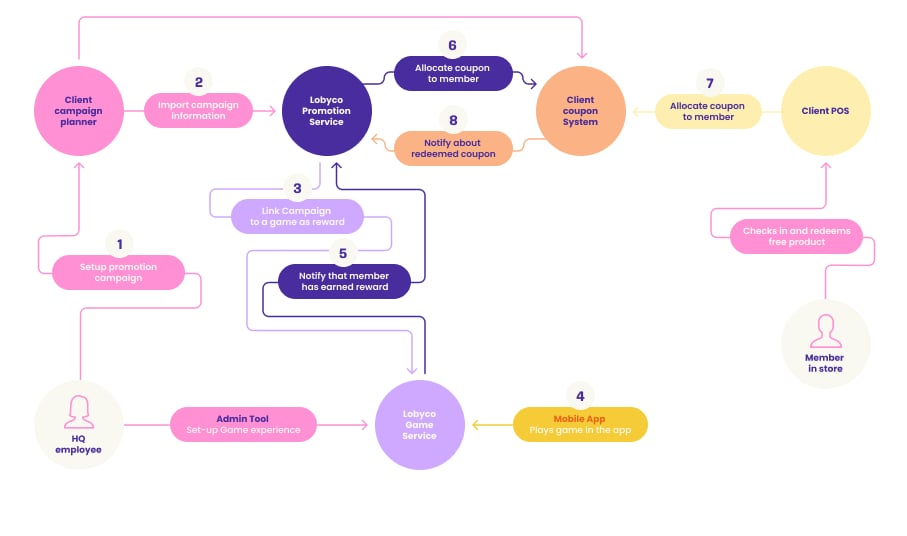
The retailer sets up the promotion
The retailer sets up the promotion for game rewards coupons in the Client Promotion System.2
Promotion is imported
Promotion is imported into the Lobyco Promotion Service.3
Promotion is linked as a game reward
Promotion is linked as a game reward to the Lobyco Game Service.4
Mobile app loads the game
The Mobile App (existing or implemented by Lobyco) calls the Lobyco Game Service to provide the game URL and load the actual game in a web view.5
Game Service notifies Promotion Service
When a user plays and wins a game, the Lobyco Game Service notifies the Lobyco Promotion Service that the customer has earned a reward.6
Promotion Service allocates a coupon
The Lobyco Promotion Service allocates a coupon for the user in the Client Coupon System.7
User redeems the reward
When the user redeems the reward at the POS, the POS calls the Client Coupon System to get and redeem the coupon.8
Coupon System notifies Promotion Service
The Client Coupon System notifies the Lobyco Promotion Service that the coupon is redeemed.Games mobile app integration