Get Challenges
Challenges differ from offers in that they represent rules users must fulfill to earn rewards. Rewards can include:- Discount coupons
- Bonus points
- Lottery tickets
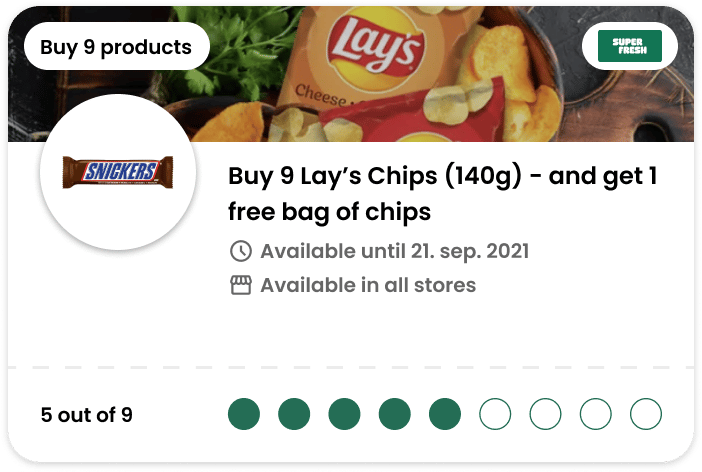
- A minimalistic challenge card highlighting status, progress, and high-level reward information
- A detailed challenge page containing complete data and terms & conditions
Activation
Challenges support bothpre-activated and activation-required modes. Display the corresponding status on the challenge card. For challenges requiring activation to begin progress accumulation, include an activation button that calls PUT challenge/v3/cards/(id)/activate.
Once activated, challenges cannot be deactivated, and users can progress toward completion during subsequent store visits.
Recommendations
We recommend you to not make Challenges aspre-activated to avoid users completing Challenge without even knowing about them. Instead, make them activate one manually for it to be a concise decision potentially affecting their shopping behaviour.
Also, a challenge can be toggled to Hide Challenge from App List. Such a challenge will not be returned to the app but it’s possible collect such Challenge without progress and status being shown in the app. This is useful in case such Challenge is promoted using different sources or you would like to have some custom configurable behaviour like a spending Challenge triggering a custom event on completion.
Same as with Offers, it’s important to pick a good enough image for a challenge to indicate the reward or rules specifics. You can have a look on our White label reference